
Simple for the Whole Family
From chores to screen time.
Barnacle Bucks makes it easy to turn everyday responsibilities into rewards. Here's how your family gets started.
Get Started
Set up your family.
Create your parent account and add individual profiles for your children. Each child gets their own chores, screen-time balance, and PIN access.
Choose Chores
Decide what earns rewards.
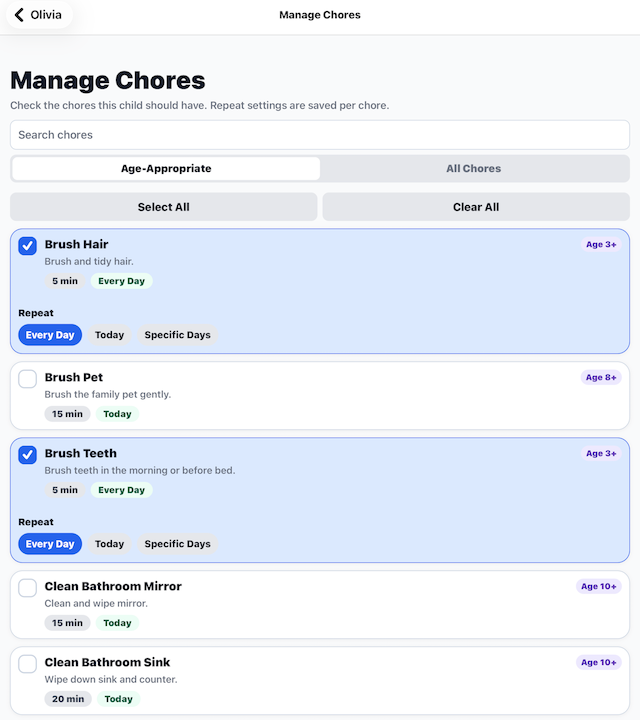
Choose from the built-in chore library or create custom chores. Assign tasks to each child, select repeat schedules, and set the minutes they can earn.
Get to Work
Kids complete their chores.
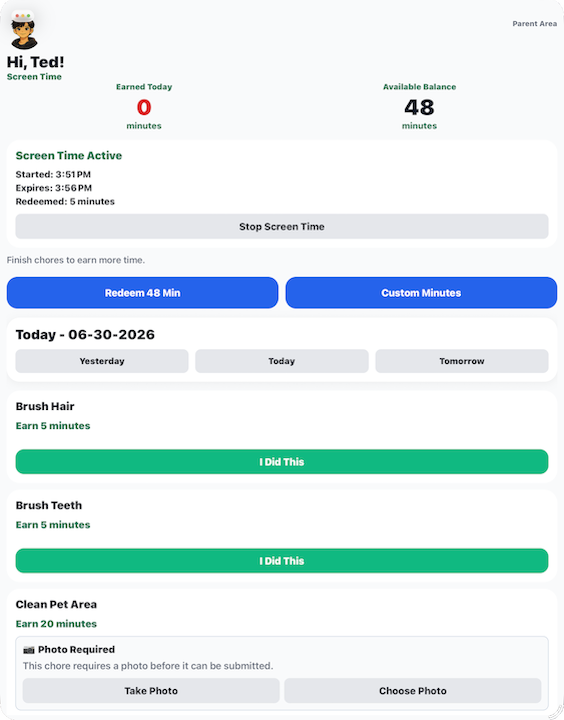
Children open their dashboard to see their assigned tasks. Once they've completed a chore, they submit it for approval, including a photo when required.
Parent Approval
Review their hard work.
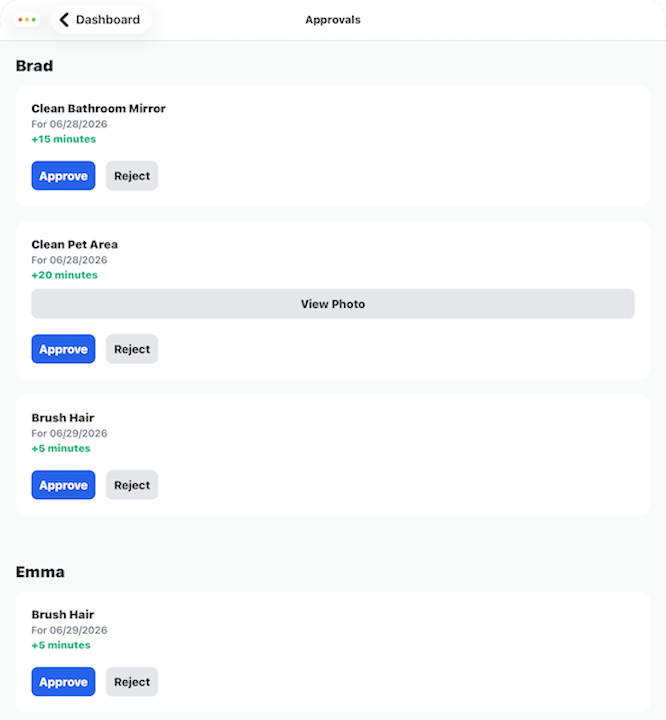
Parents review submitted chores, check any required photos, and approve or reject the work. Approved chores earn screen-time minutes.
Enjoy Rewards
Time to enjoy earned screen time.
Children can check their available minutes and redeem screen time. Barnacle Bucks tracks active sessions and lets families know when screen time ends.
Ready to Get Started?
Make every chore count.
Give your family a simple way to turn responsibility into rewards.
Get Barnacle Bucks